How to name, file and reuse RPG maps as a library
- By
- expenseforge.com
- Published
- Reading time
- 6 min
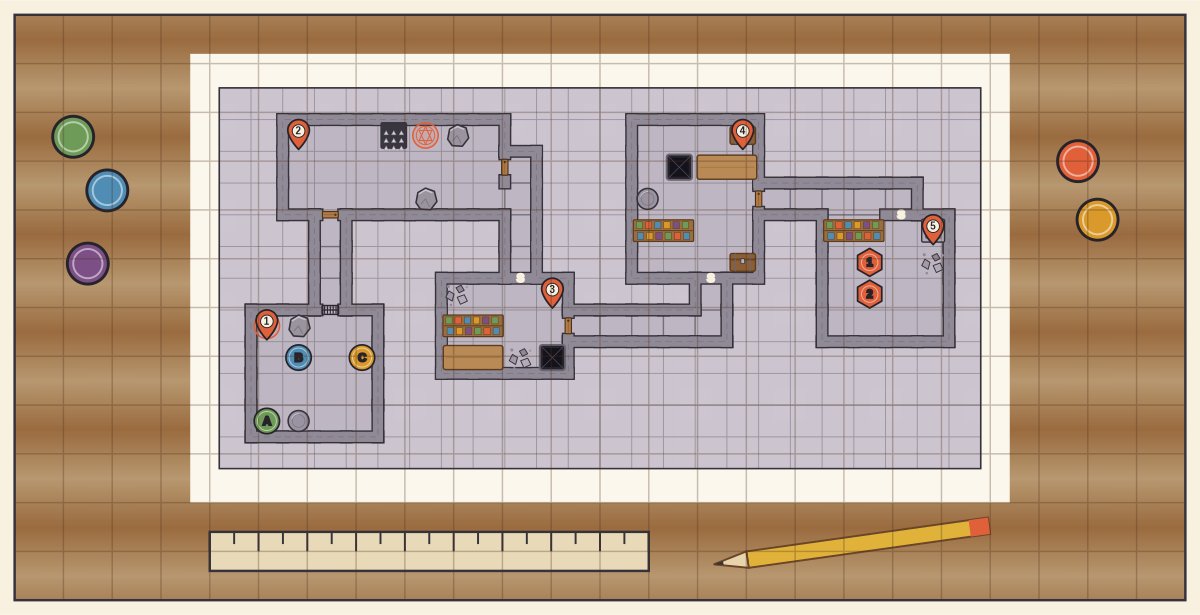
After a few months of play there are forty maps in one folder, named "map", "map2" and "tavern final". Finding the right room takes longer than drawing a new one, so the old maps stop being reused and the same work is done again and again. A little structure fixes that, and it takes an hour to set up.
The sections below show a naming pattern, a folder layout, a way of building maps so they can be reused, and a habit for backing up files, including maps that live only in a browser.
Use a naming pattern you can read at a glance
A good file name answers four questions before the file is opened: what is it, how big is it, what does a square stand for, and which version is it. Put the answers in a fixed order, in lowercase, with hyphens inside a part and underscores between parts.
A name such as tavern-common-room_20x14_5ft_v2 says everything: the place, a grid of 20 by 14 squares, a scale of 5 ft (1.5 m) per square and the second version. Each part is there for a reason.
| Part | Example | Why it helps |
|---|---|---|
| Place | tavern-common-room | Finds the map by subject |
| Grid size | 20x14 | Shows at once whether it fits the table |
| Scale | 5ft | Stops scales from being mixed by accident |
| Version | v2 | Keeps old copies without confusion |
Avoid words such as "final", "new" and "copy". They describe a moment, not a map, and a week later nobody knows which one is the latest. A version number does the same job and stays true. If you add dates, write year first, as in 2026-11, so files sort in time order.
Naming scale in the file is the one habit that saves the most trouble. The scale per square should never be a guess when the map is opened a year later.
Sort folders by how you search
Choose folders by the question you ask when you need a map. Most game masters ask "what kind of place?" before "which campaign?", because reuse crosses campaigns. Sort by place type first and keep to two levels.
- Buildings. Tavern, cottage, workshop, hall.
- Dungeons. Rooms, corridors, caves, ruins.
- Outdoors. Forest, river, camp, road.
- Sets. Groups of maps that belong together, such as a village and its inns.
- Print files. Print-ready exports, named after the map they came from.
Keep each folder to seven or fewer items at the top level. Past that, the eye skips. Name print files after the editable file, with the print choices added: tavern-common-room_20x14_5ft_v2_print-1in-letter. That lets you reprint a sheet in the same way later, a habit that supports printing at true scale. Finished campaigns go into one archive folder as a whole, so the working library stays short and quick to scan.
Build maps so they can be reused
A map is reusable when its specifics can be changed without touching its structure. In the Map Builder, the layers help: Floor, Walls, Objects, Tokens and Notes. Keep the lasting parts, floor and walls, apart from the parts that change each time, tokens and notes.
Keep a clean base version of each map with the Tokens and Notes layers empty. When a session needs the map, reopen the base file, add what the scene needs and save it under a new name. The base stays untouched. Planning a map in layers explains how to divide the work.
Small choices raise reuse. Give rooms plain shapes. Avoid unique decoration that players will recognize on a second visit. Put scene-specific details on the Notes layer, so one stone hall can be a guard room on Tuesday and a storeroom next month.
Quick changes make a repeated map feel new:
- Turn the printed sheet a quarter turn.
- Move furniture, as loose pieces if the map is printed.
- Change which doors are open.
- Swap one feature, such as a hearth for a well.
Back up what the browser holds
The Map Builder saves maps in the browser, and a map saved there stays on that device only. Nothing is stored on a server. If the site data is cleared, or the device is replaced, those maps are gone. Treat the browser save as a working copy, not an archive.
Download each finished map as a map file and move it into your library folder. Reopening that file later restores the map for editing. Do this at the end of each session while the work is fresh.
Close every session with this list:
- Updated maps downloaded as files.
- Files renamed with the pattern and moved to the right folder.
- Print files stored next to their source.
- Library copied to a second place.
Catalog, tag and review the library
A list helps when the folders grow. Keep a simple text file or table with one line per map: name, grid size, scale, tags and the date it was last used. Tags such as indoor, night, two floors or crowded let you search for a scene's needs, not just a place.
Group three to five maps into a scene kit when they belong together. A kit for a village at night might hold a tavern, a lane and a barn, with the tokens and loose pieces in one envelope, ready for a session. Paper tokens and loose pieces covers making those.
Review the library every few sessions, because a catalog that is only updated once a year is wrong by spring. Move maps that you never open into an archive folder instead of deleting them. Rename any file that took more than half a minute to find, since the name is what failed.
Common mistakes
- Names that describe a moment. "Final", "new" and "copy2" stop meaning anything in a week. Use a version number.
- Mixing scales without saying so. A map of 5 ft squares and a map of 10 ft squares can look the same. Put the scale in the file name.
- Treating the browser as a backup. Saved maps live on one device only. Download files and keep a second copy.
- Keeping only the print file. A print export cannot be edited. Keep the editable map file next to it.
- Burying maps in deep folders. More than three levels slows every search. Keep the tree shallow.
FAQ
How many maps should a library hold?
As many as you will reuse. A good start is ten base maps that cover the places your games visit most: a tavern, a hall, a corridor set, a forest, a camp. Add a new map only when no existing one can be adapted with a few changes.
Should maps be filed by campaign or by place type?
By place type, with a separate set folder for maps that belong to one story. Place type matches the question you ask when you need a map, and a tavern from one campaign often suits another. Campaign folders work for maps that only make sense in one story.
How can a reused map avoid feeling repeated?
Change what players notice first. Turn the sheet, move the furniture, open different doors and swap one large feature. Players remember the shape of the main space and the position of the landmark, so changing those two things makes the room feel new.
Which file types should be kept?
Keep the editable map file for each map, and the print export for any map you use at the table. The editable file lets you change the map later, and the print file lets you reprint it the same way. Name them so they sit side by side.
Sources
- Norman, Donald A. The Design of Everyday Things. Revised and expanded ed. Basic Books, 2013. For how clear labels and a consistent structure make things easy to find and use.
- Robinson, Arthur H., et al. Elements of Cartography. 6th ed. John Wiley & Sons, 1995. For general ideas on map series and keeping scale consistent across a set of maps.
- Tufte, Edward R. Envisioning Information. Graphics Press, 1990. For how a consistent format makes a set of images easy to compare.